01Vault
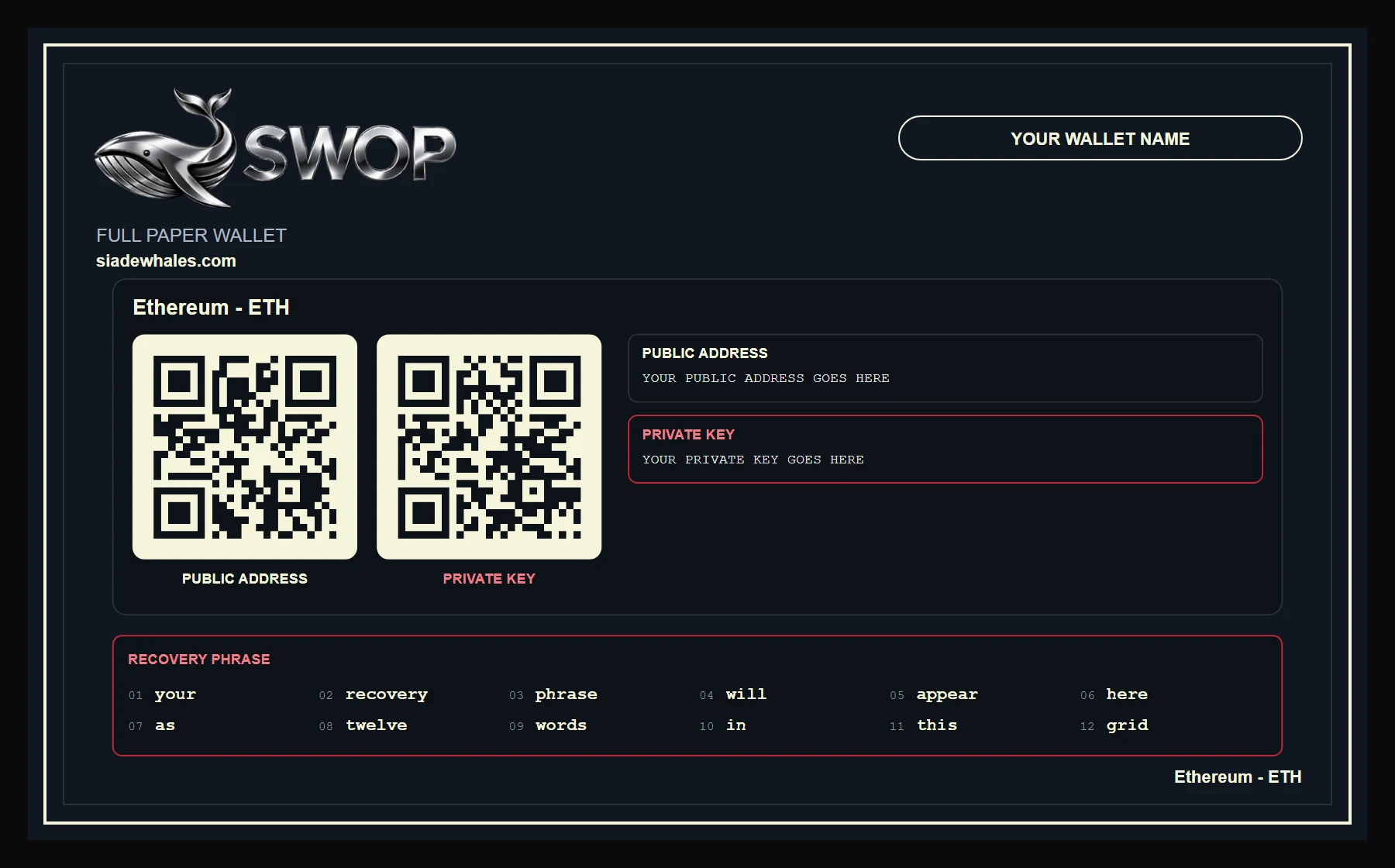
In Vault you generate paper wallets for the selected network. You can create one wallet or a batch, add a label and download the public, private or full document. For maximum privacy, generate without internet and keep the files offline.
02Send
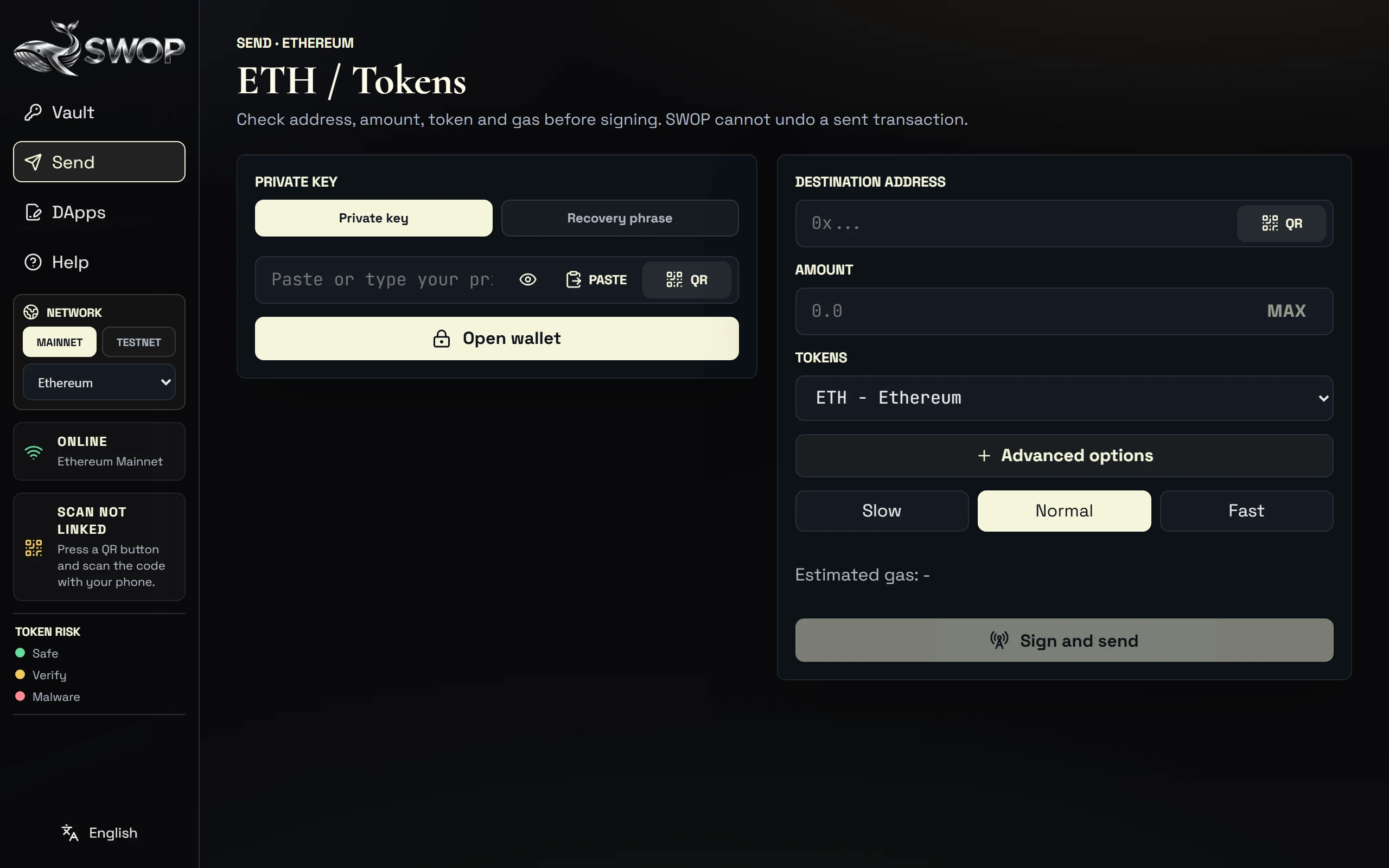
In Send you open a wallet with a private key or recovery phrase. SWOP reads the balance, estimates fees, lets you use MAX and signs the transaction on your computer. Check network, destination, amount and fee before signing.
03DApps
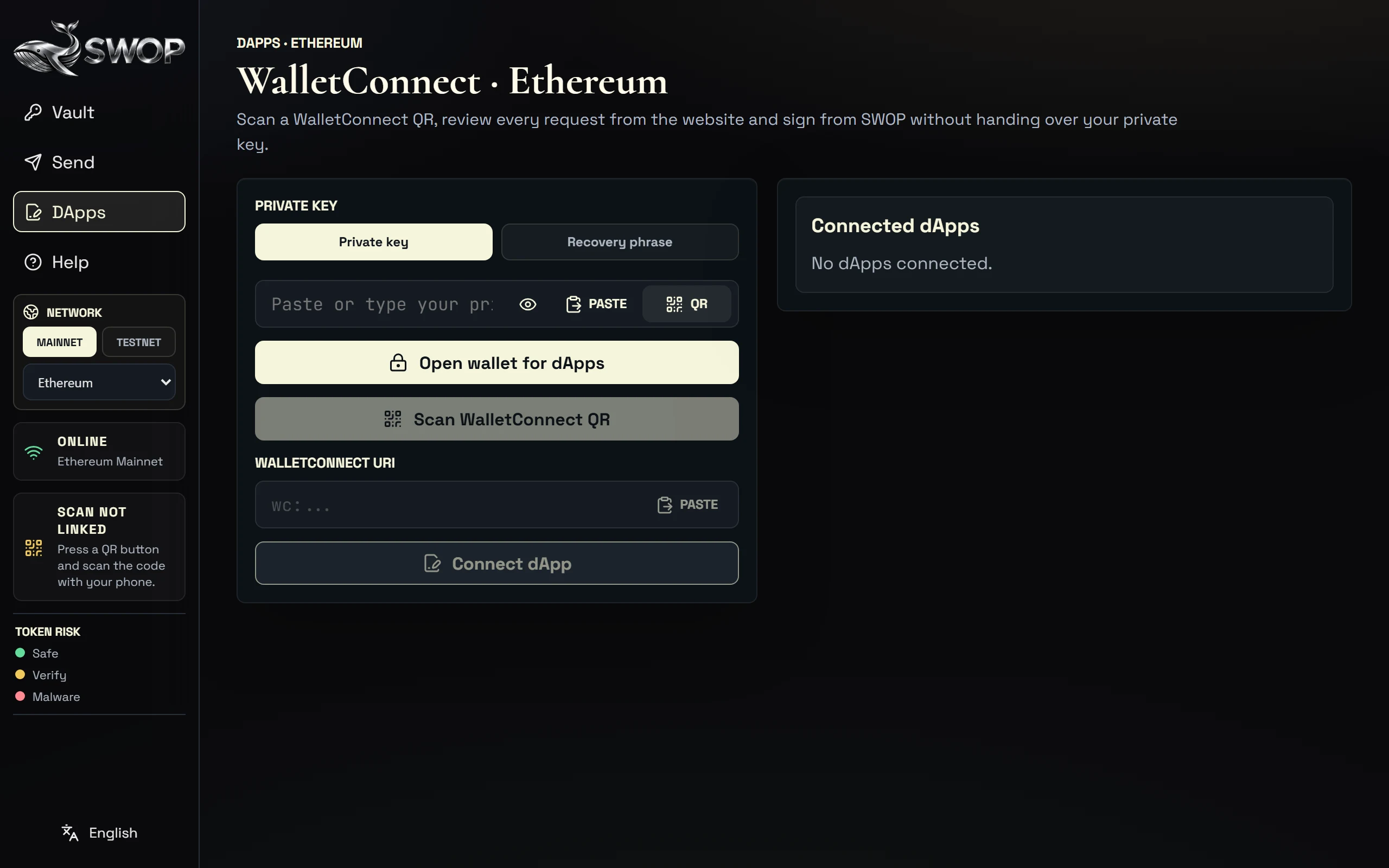
In DApps you connect websites through WalletConnect. Open the wallet, scan or paste the QR and approve only the requests you understand. SWOP shows messages, transactions, permissions and PSBTs when the network uses them.
04SWOP Scan
SWOP Scan links your phone to the desktop app to scan keys, phrases, addresses, contracts or WalletConnect QRs. The phone only sends the reading to the active field; it doesn't store keys or decide what gets signed.
05Gas
Each network charges its own fee: gas on smart-contract networks, SOL on Solana and sats on Bitcoin. SWOP tries to estimate it before you sign. If it doesn't appear or looks wrong, check the connection, the network and the details before continuing.
06Download SWOP paper wallet
The paper wallet is a printable backup. The PNG keeps the brand design and the OCR TXT lets you read and copy the data. Any private or full document gives access to the funds: keep it offline.
07Token risk
The legend separates recognised tokens, tokens that need checking and tokens flagged as dangerous. It is a guide, not automatic permission to sign or interact.
08Privacy
SWOP isn't designed to keep sessions. While it is open it keeps your work between tabs; when you close it, it erases language, keys, sessions and local storage and returns to its factory state.
09Siade Guard
Siade Guard protects subscribers by blocking old or unauthorised versions. Its goal is to reduce the risk of operating with tampered or outdated copies.